What‘s new
October, 2020
changelog
Summary
- New recommended routing version v6.0.0 (see below)
- Decay functions to enable gravity-type accessibility indicators (see below)
- Routing engine fix for certain transfer times (see below)
- Manage analysis settings with Presets (previously known as Bookmarks)
- New and improved User Manual
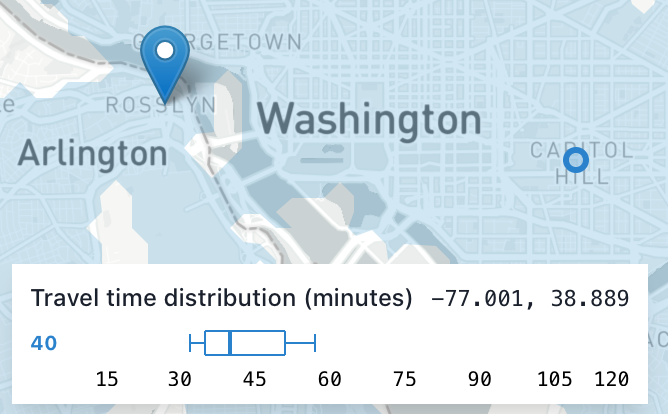
- Dynamic destination travel time distribution display
- Improved notifications about actions and errors.
- Streamlined analysis settings panel, with clearer toggling of travel modes
- More bug fixes and UI improvements.
Worker version v6.0.0
The new recommended routing engine version enables a few new features:
- Decay functions
- Regional analyses can handle grids with different extents
- Single point analysis now uses more consistent methods with regional analyses.
Routing engines v4 and v5 are still available for use, but do not include these new features.
Decay functions and gravity-type accessibility indicators
Conveyal Analysis can now apply decay functions rather than hard cutoffs in both regional and single-point analyses.
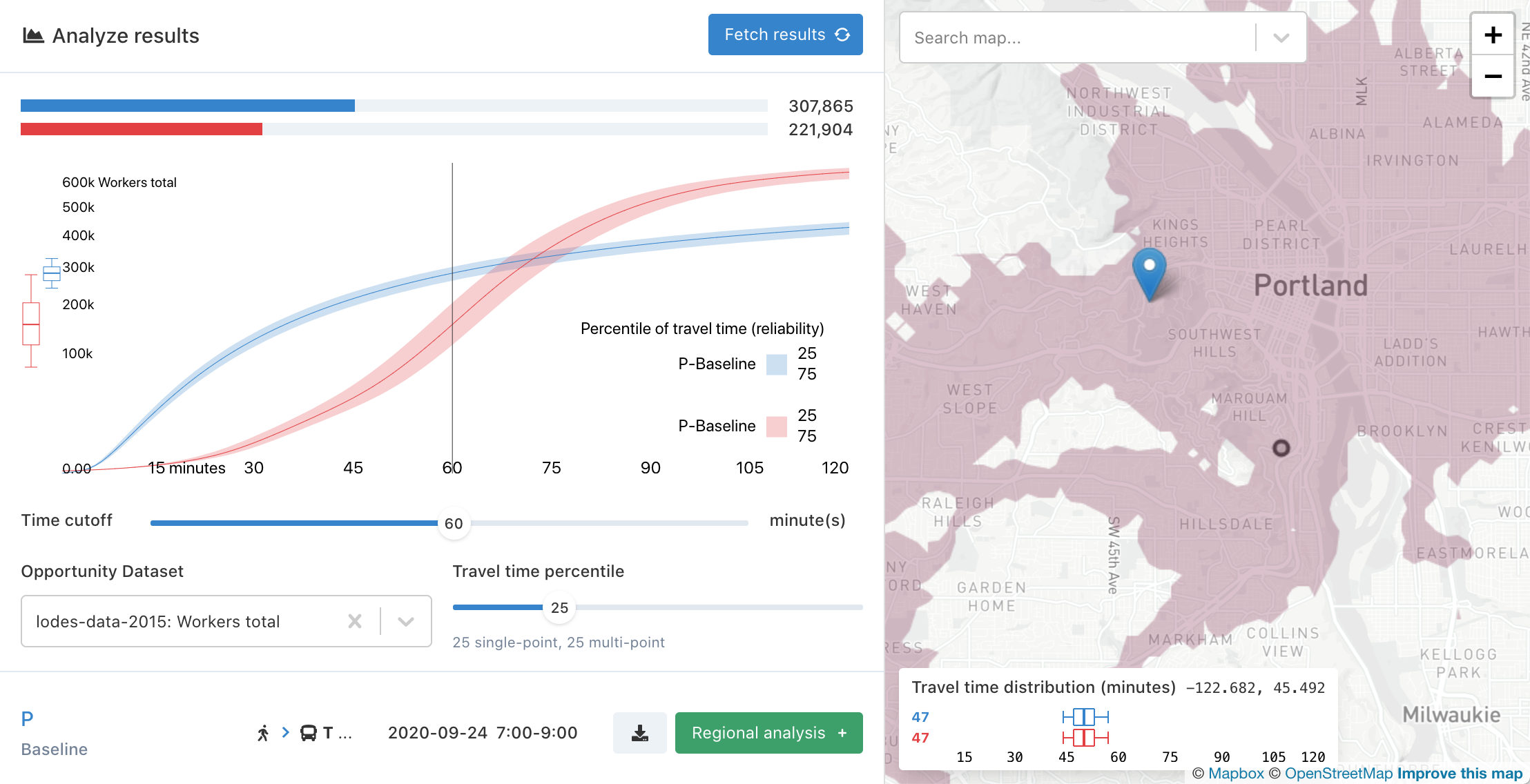
Rather than being the sum of all opportunities that can be reached in less than a specified number of minutes, the accessibility indicator can be more generally defined as the sum of all opportunities in the region, with each opportunity weighted (multiplied) by the value of a "decay function". It is now possible to select logistic (sigmoid), linear, and exponential decay functions in addition to the existing default step function. Learn more
Routing engine bug fix
Routing engine v6 fixes a bug that increased waiting times for certain transfers, specifically those from schedule-based routes to frequency-based routes. This underestimated the benefits of certain added/modified routes. When transferring from schedule-based routes (e.g. from baseline GTFS) to routes specified by add-trip or adjust-frequency modifications with exact times disabled, correct waiting times were under-sampled, and longer waiting times were over-sampled, biasing results toward longer total travel times. Note that this bug did not affect transfers from frequency-based routes to schedule-based routes, between two scheduled routes, or between two frequency-based routes.
August, 2020
changelog
Multi-dimensional regional analyses
Previously, each regional analysis ran with a single opportunity dataset, time cutoff, and percentile. This required running multiple analyses, even when the underlying network bundle, scenario, and analysis settings were the same.
This release adds the ability to create a single regional analysis that can be run with multiple opportunity datasets, time cutoffs, and travel time percentiles (for routing engine v5.10.0 and above)
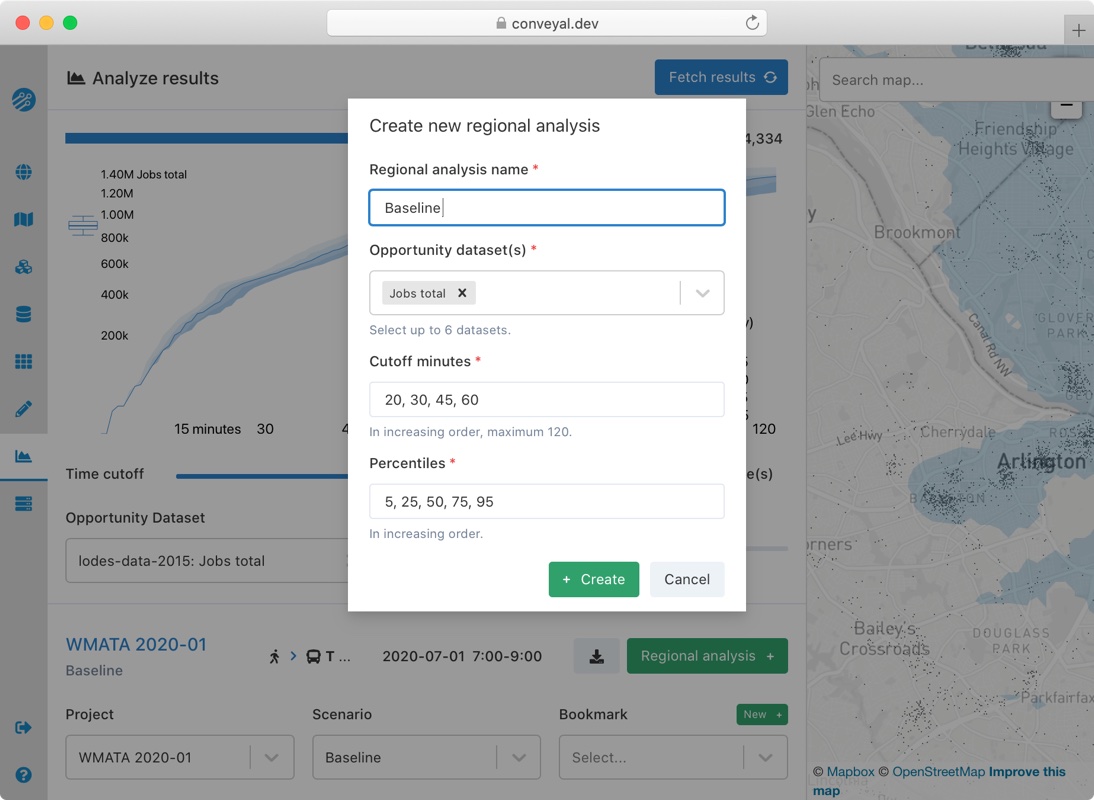
Along with creating multi-dimensional regional analyses, we've overhauled the regional analysis page to allow easy comparisons across these new dimensions.
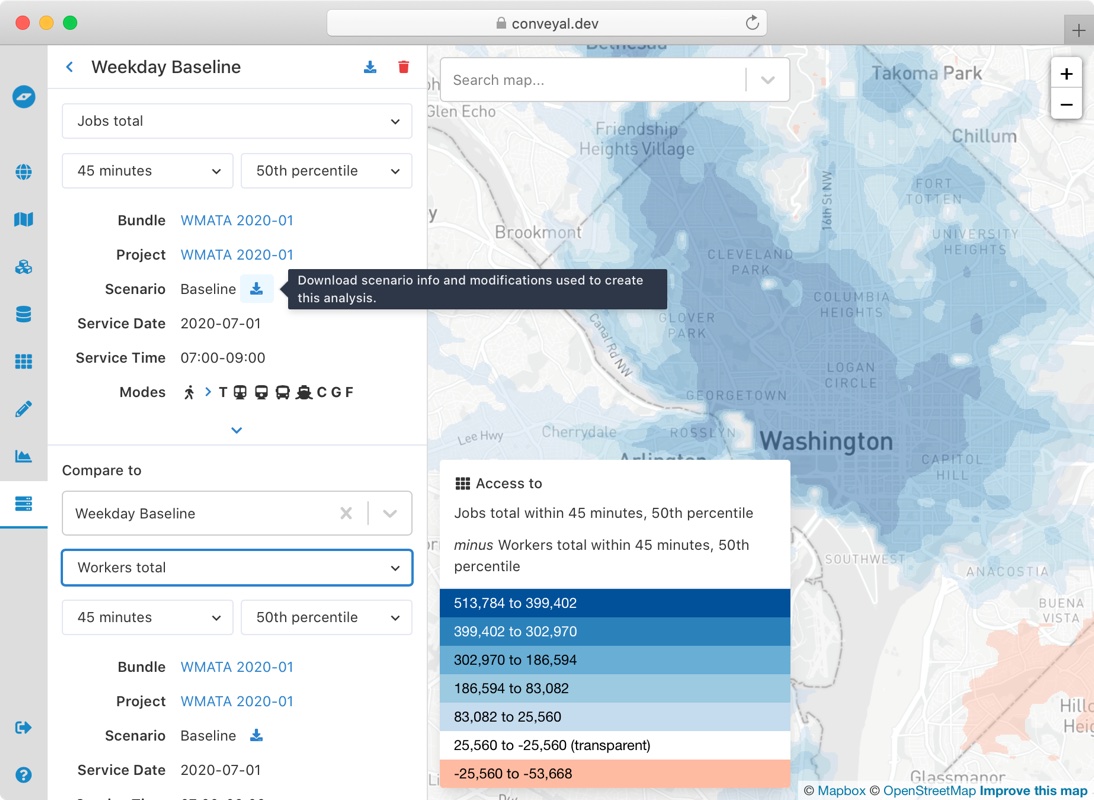
Additionally, we added options to view all regional analysis settings and an easy way to export the settings and complete scenarios as JSON.
Routing engine
The default routing engine version is now v5.10.0. In addition to enabling the features above, this release:
- Considers additional OSM nodes and ways for park-and-ride access. More details are in the user manual
- Fixes a bug, present since before routing engine v3, that did not consider boarding a single essentially arbitrary route when transferring. On rare occasions where that route was relevant to the path being constructed, a suboptimal path would replace an optimal one, potentially altering travel time distributions enough to affect the selected percentile. Based on our testing, the impact appears to be limited in most cases to travel time discrepancies of a few minutes, for origin-destination pairs scattered throughout a region.
Modifications view
We also restyled the modifications list and scenario view. It is now more compact and keeps groups by modification type expanded by default.
We also added an inline text editor for editing the names of modifications, scenarios, and regional analyses. If you can't find the "pencil" icon used previously, try hovering over and clicking the name in order to edit it.
June, 2020
changelog
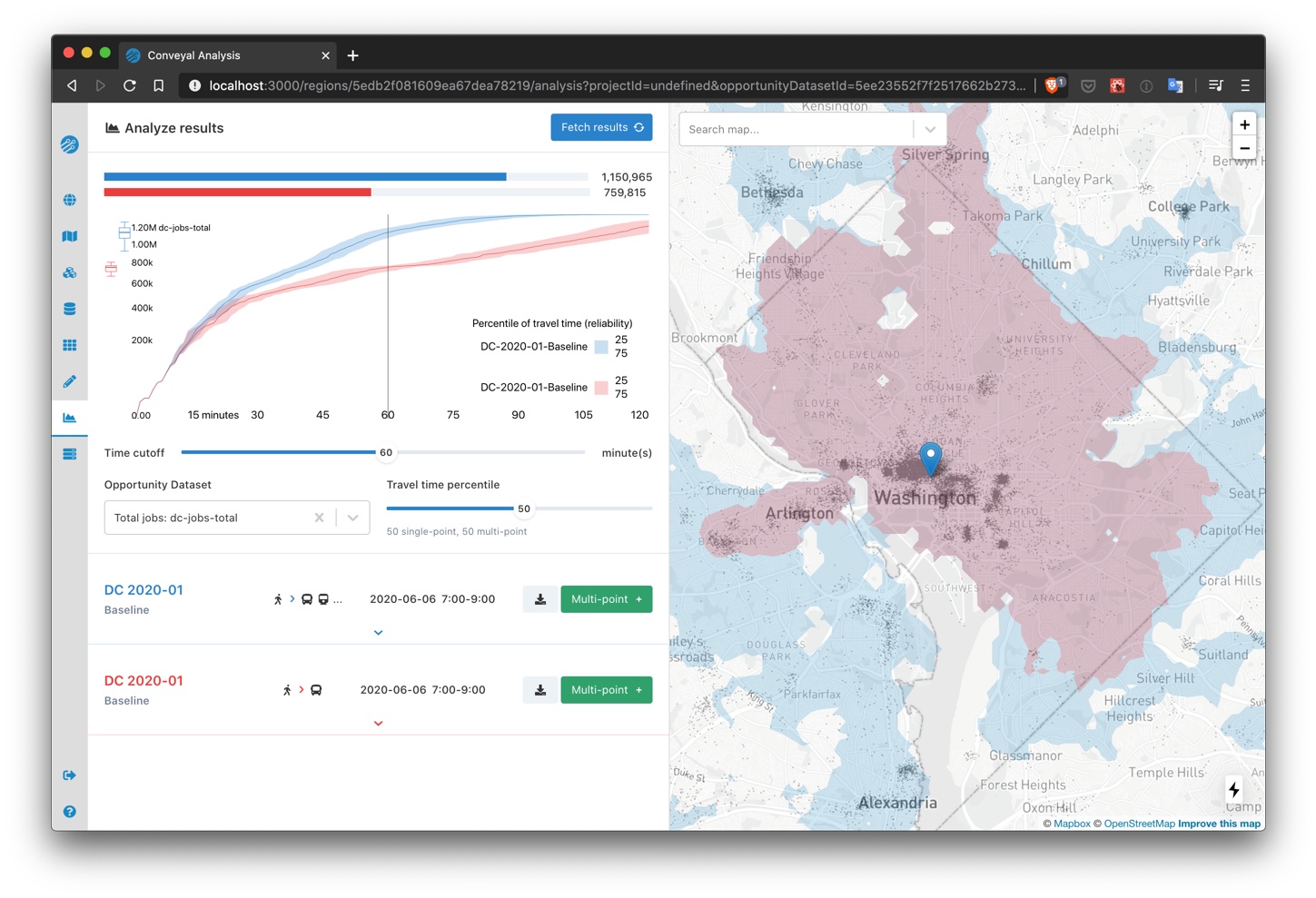
Comparison specific settings for single-point analyses
We revamped the single-point analysis page and added flexibility in how settings are configured. This change facilitates comparisons of access on different dates, by different modes, with different limits on number of transfers, etc.
Below is an example using the same scenario, but with transit modes other than bus disabled in the comparison analysis.
Level of Traffic Stress for analyzing bicycling comfort and safety
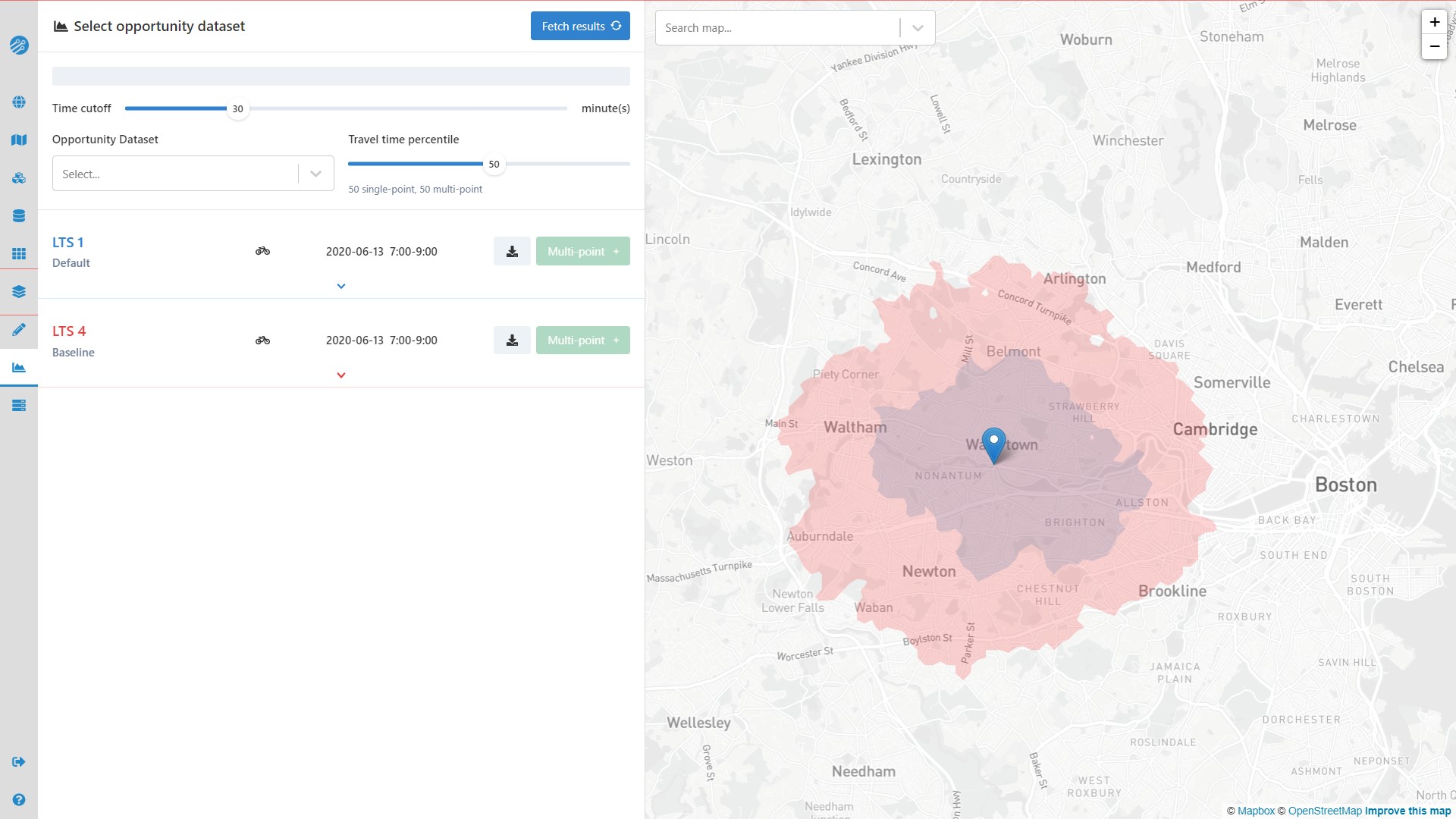
The analysis panel now includes a selector for maximum bicycle Level of Traffic Stress (LTS), ranging from 1 (low stress) to 4 (high stress). By default, LTS values for baseline street networks are calculated according to Conveyal's surrogate LTS methodology. You can also specify custom LTS for links in your networks with Street Modifications or by setting an lts= tag on uploaded OSM.
Below is an example of how far a cyclist comfortable with high-stress conditions (LTS 4) could travel in 30 minutes, compared to how far a cyclist comfortable only with low-stress conditions (LTS 1) could travel. Areas where the red LTS 4 isochrone extends much farther than the smaller LTS 1 isochrone indicate places to which conditions curtail access for cyclists who want safe, low-stress riding from this origin. Links between the origin and important destinations in large red areas might be good candidates for improved cycling infrastructure.
Experimental Street Modifications -- worker version v5.9.0 or higher required
Note: features marked as "experimental" may be subject to changes as we finalize features and optimize performance, so ongoing compatibility is not guaranteed. Feel free to try any experimental modifications, but be aware that they may need to be re-created to be compatible with future Conveyal versions.
We added two additional modifications for small-scale street network changes. With an Add Streets modification, you can add new links to the street network, such as pedestrian connections to stations, protected bicycle lanes, and bridges. With a Modify Streets modification you can model tunnel closures, slower speeds, and more.
April 18th, 2020
changelog
New features
- Network Bundles: Previously, OpenStreetMap street network data (OSM) was uploaded during region creation. Now, OSM is uploaded along with GTFS while creating a Network Bundle. This change allows you to compare scenarios built on different OSM within a single region. When creating a Network Bundle, you also have the option to re-use previously uploaded OSM and GTFS in that region. Note: previously created Network Bundles use the OSM that was uploaded for their region.
- Regional Analysis Status: A running regional analysis now shows additional information, including a remaining time estimate and how many servers in Conveyal's cloud compute cluster are processing the analysis.
- Map: Dimmed the color of water features on the basemap to improve isochrone visualizations
- Error Handling: Clearer displays of error messages
February 28th, 2020
changelog
Fixes
- Prevent Regional Analysis comparison map from flashing when the statuses are updated.
- Fix bug that disabled deleting a running Regional Analysis.
- Allow navigating to a Project that has had its Bundle deleted.
Changes
- Disable deleting a Bundle while a Project is using it.
- Reformat display of shapefile upload errors.
February 10th, 2020
changelog
Regional Analysis Display
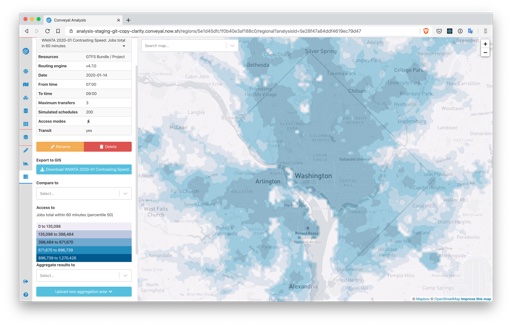
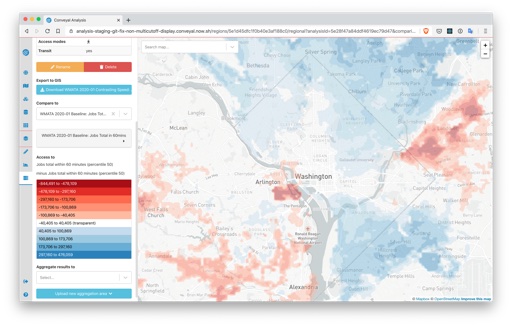
We improved regional analysis result maps.
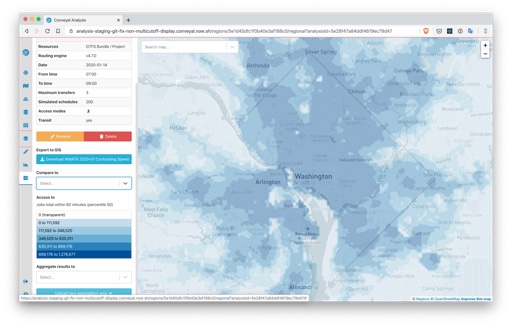
- Locations with access to 0 opportunities are now transparent.
- Comparisons have an improved color scheme and legend, with blue for areas with increases in accessibility, red for areas with decreases in accessibility, and transparency for areas with 0 or small changes in accessibility.
To calculate the color breaks for a Regional Analysis we use the CKMeans clustering algorithm on a randomly sampled subset of data. This algorithm helps generate clusters quickly.
Before:
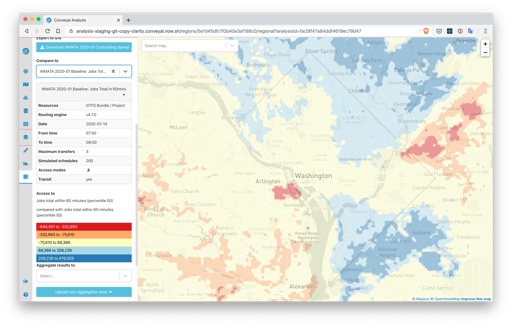
After:
Routing Engine
The recommended version of R5 is now v4.8.0. This version:
- Follows the standard definition of percentiles more closely when summarizing travel times (see #563). Relative to past versions of R5, accessibility results for a given travel time and percentile will be slightly higher due to this change. If you need to use past routing engine versions for consistency with past analyses, you can still enter version numbers (e.g. v4.7.0) in the analysis panel.
- Uses Java 11 and updates various dependencies (see #556).
- Speeds up the process of connecting transit stops to destinations (see #564).
- Allows you to create frequency entries in any order. Previous R5 versions would return an error if frequency entries were not ordered by their start time (see #569).
User Interface
- Updated method for isochrone display and download, removing zero-area artifacts that inhibited geoprocessing
- Improved interface with new component library chakra and small changes (e.g. showing scenario names in addition to numbers in modification details)
User Manual
- Made terminology more consistent throughout and expanded the glossary
- Updated screenshots and instructions for interface elements
- Moved materials giving an overview of a feature ahead of any instructions for using it.
October 12th, 2019
changelog
Changes
- Option to create separate aggregation areas for each feature in an upload, or use the union of the features as a single combined aggregation area
- Show server version information on status page
September 13th, 2019
changelog
Fixes
- Phasing selection re-enabled. Broken in a previous release.
- Opportunity dataset upload statuses re-enabled.
- Hide routing engine warning when it is not warranted.
Changes
- Modifications apply to entire routes when multiple routes are selected. Disable selection of parts of the route and require users to select single routes to modify parts of the routes.